

Paying with NectarPay — Step 1: What Is NectarPay?
Pay a merchant with crypto straight from your own wallet — no account, no card. What NectarPay is and how it works for shoppers.
Who this is for: shoppers who want to pay a merchant with crypto through NectarPay — at the counter or online.
In this series:
Step 1 — What is NectarPay?
Step 2 — The wallet you'll need
Step 3 — Paying at the counter or online
Step 4 — After you pay
Step 5 — Mistakes and refunds
Step 6 — Where to spend
Step 1 — What is NectarPay?
In one line: NectarPay lets you pay a merchant with crypto, straight from your own wallet to the merchant's wallet. NectarPay never holds your money — it just shows you what to pay and watches for your payment.
A merchant is any business that takes NectarPay — a restaurant, a local store, a food truck, a mall kiosk, the turkey-leg stand at the fair… and Buzzy's favorite, the corner flower shop 🌸 (a bee can dream!).
What you don't need
🐝 A NectarPay account — there's nothing to sign up for.
🐝 A credit or debit card.
🐝 A NectarPay app — you pay from your own crypto wallet.
What you do need
🐝 A crypto wallet you control, holding the coin you want to pay with (Step 2 shows which wallets work).
🐝 A tiny bit extra for the network fee. You pay the fee on your own payment, and with TEXITcoin it's just a fraction of a cent.
How the price works
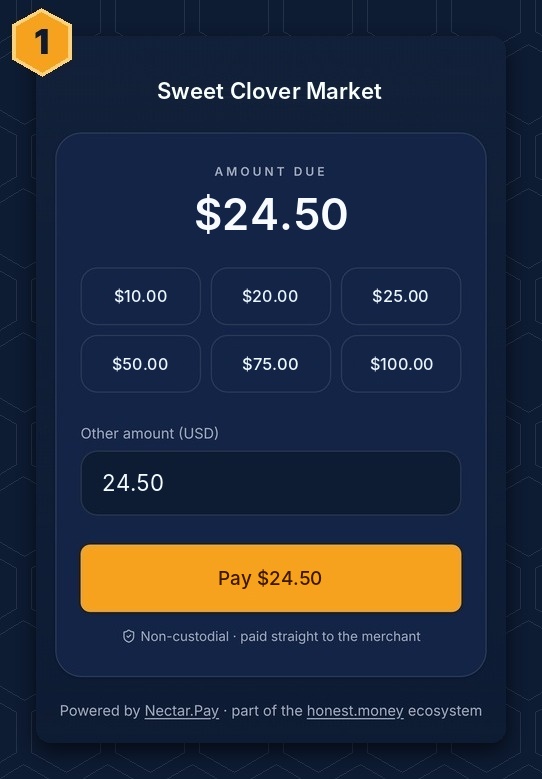
Merchants price things in dollars. When you pick a coin, NectarPay works out how much of that coin equals the price, and shows you the exact amount to send.
Ways to pay
🐝 At the counter — the cashier's screen shows a QR code. You scan it with your wallet and send.
🐝 Online or from a link — the merchant sends you a payment page. Same idea: pick a coin, scan or copy, send.
Which coins?
Each merchant chooses what it accepts. A typical list looks like Texas Stable Dollar (TSD) and other dollar stablecoins like USDC, USDT and PYUSD. Some merchants also take Bitcoin (BTC), Litecoin (LTC), Dogecoin (DOGE), Ethereum (ETH), TEXITcoin (TXC), and others.
🎉 Get rewarded with CryptoPOP
CryptoPOP is NectarPay's rewards partner. Pay at a CryptoPOP merchant, scan at the register, and earn POP points — just for showing up. Sign-up is free, and you start with a 10 POP welcome bonus. Step 6 shows where to find them.

Crypto payments are final. There's no "chargeback" like a credit card. If something goes wrong, the merchant refunds you from its own wallet — see Step 5.
Next: Step 2 — The wallet you'll need
Questions? Buzz us — open a ticket.